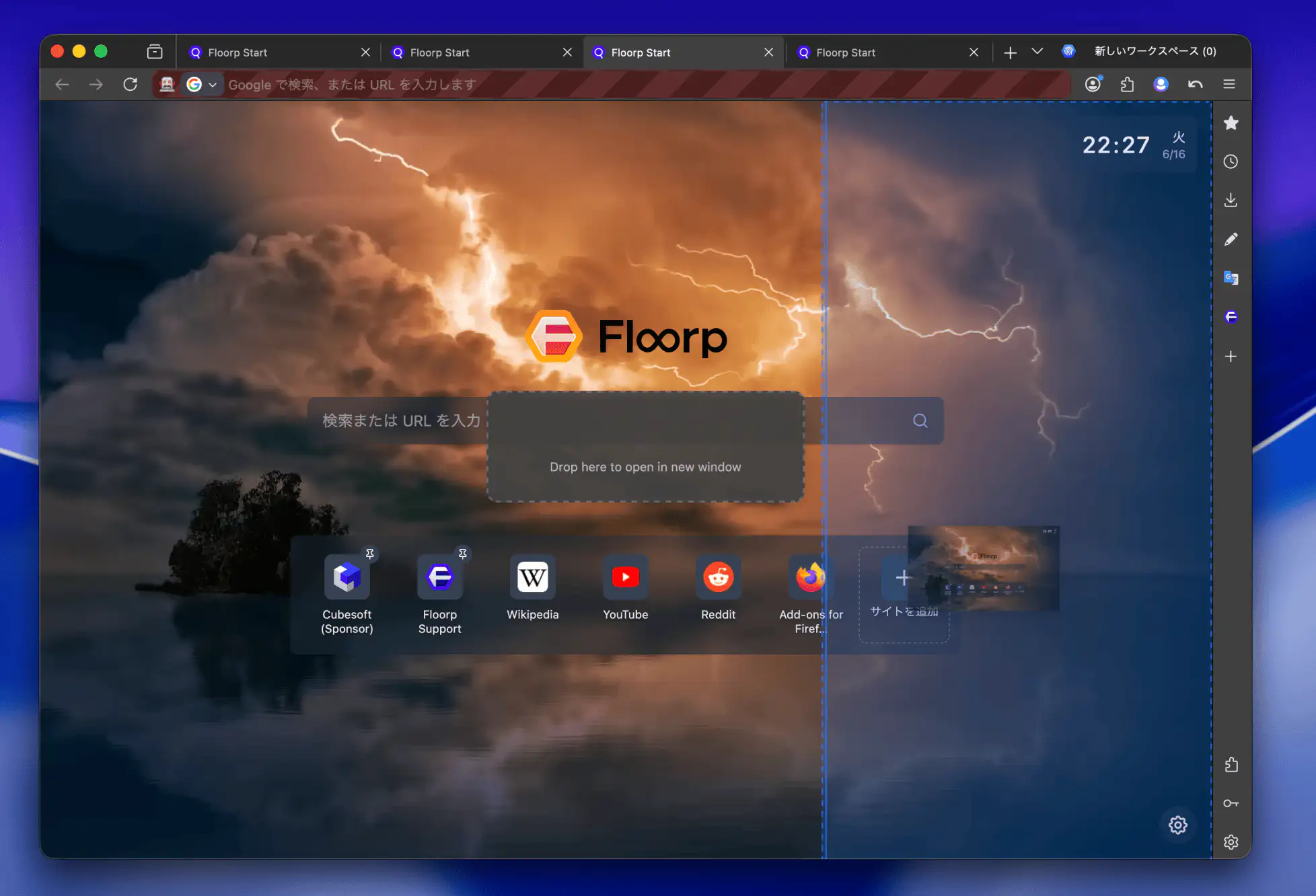
Split View
Enhanced Split View in Floorp
Floorp builds upon Firefox's native split view, allowing you to split pages more intuitively and display even more tabs simultaneously.
For more information regarding Firefox's native split view, please refer to Mozilla Support.
Displaying Even More Tabs Simultaneously
Right-clicking a tab that is already in split view allows you to add more subdivisions or change how your split views are arranged.
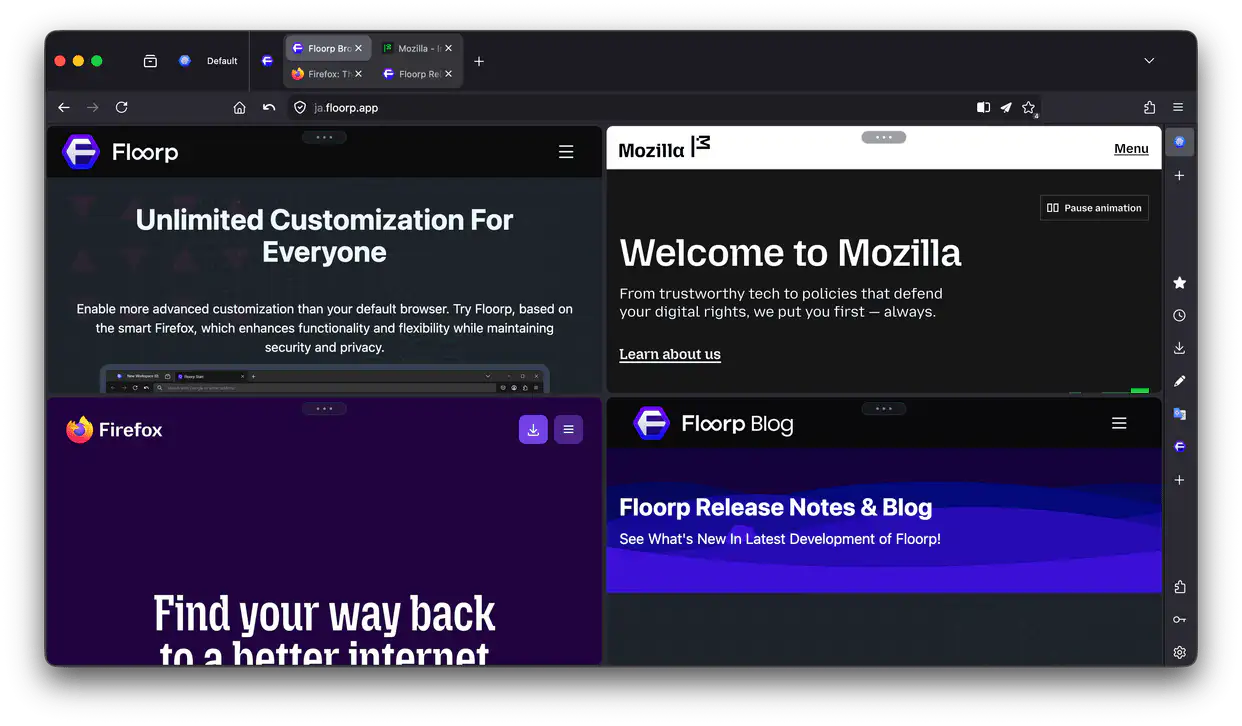
As of version 12.14.2, you can split up to 4 tabs simultaneously.
Dragging Tabs to Split
With Floorp Hub > Tab & Appearance > Allow creating split view by dragging tabs enabled, dragging a tab into the web page area brings up an overlay to initiate Split View.
Dropping the tab on the top, bottom, left, or right side will split the page in that direction. Dropping it in the center area will move the tab to a new window.